
Your needs, this model
Does it fit your priorities?
Does the Q10 S5 automatically empty its dustbin at the included dock?
No. Its package includes the SPCDZ04RR charging dock, not the AED09LRR dust auto-empty dock used in the S5+ package; plan to empty the robot manually.
Explore this need in the finder →Does the Q10 S5 have a vibrating VibraRise 2.0 cloth mop?
Yes. Roborock places the S5 in its VibraRise 2.0 group and lists a 3,000-per-minute vibration claim and 8mm lift. The mop still needs manual water and cloth care.
Explore this need in the finder →Can the Q10 S5 connect to a 2.4GHz-only home Wi-Fi network?
Yes. The exact Q10 Series FCC/IC manual says only 2.4GHz Wi-Fi is supported; 5GHz-only service is not documented.
Explore this need in the finder →Can the Q10 S5 be chosen when high-pile carpet support is essential?
No. The exact manual says not to use it on high-pile carpet and warns dark carpet can reduce performance.
Explore this need in the finder →The Roborock Q10 S5 is the charging-dock version of a 10,000Pa-rated robot vacuum with VibraRise 2.0 mopping. Its Q10 S5+ sibling uses the same named robot family but adds an auto-empty dock; the plain Q10 S5 does not empty its own dustbin. That package distinction matters more in daily ownership than a paper suction number. The S5 is for people who want LiDAR mapping, a vibrating cloth mop and a small charging base, and who are comfortable emptying the robot by hand.
Start with the dock you actually get
The exact US Q10 S5 listing includes the robot, a standard charging dock, adapter, mop module and cloth, moisture-proof mat and manual. Its manual identifies the robot as RRA0TAL and the charging station as SPCDZ04RR. There is no dust-transfer base in this package: after a vacuum run, you remove and empty the robot's dustbin yourself. Roborock lists an auto-empty dock for the related Q10 S5+ package, but its own FAQ says the Q10 S5 will not auto-empty even when placed on that S5+ dock and does not recommend mixing the packages. Treat S5 and S5+ as separate purchase configurations, not as a guaranteed dock upgrade path.
The small charging station is 6.30 × 2.76 × 3.98 inches; it needs a level spot, nearby power and enough clear approach space to return reliably. A conventional charger also avoids the extra height and bag changes of an auto-empty base. In exchange, the bin is still part of the regular chore list. Roborock's exact page lists black and white finish variants under distinct SKUs; they do not change the dock or mop package.
Vibrating cloth mop, manual water care
The Q10 S5 is the S5-style member of this family: Roborock describes its VibraRise 2.0 module as a vibrating cloth, with a family-page claim of 3,000 vibrations per minute and an 8mm lift. This is not a rotating dual-pad system, nor a dock that washes the cloth. The robot's combined dustbin and water tank is manually filled, and the cloth needs to be attached flat and dampened for mopping. The manual asks you to vacuum at least three times before the first mop cycle to limit soil building up on the cloth. After a mop run, empty unused water, wash the cloth and let it air-dry. That sequence makes the S5 a better fit for someone willing to handle the wet parts than for a buyer expecting a self-washing station.
Roborock also describes automatic lifting within the VibraRise routine when the machine encounters certain carpets or low obstacles. That does not make the S5's mop identical to the X5's automatic-lift pad: S5 is the vibrating system; X5 is the simpler lifted pad. The Q10 S5's lift is not a claim of suitability for every rug.
Navigation and the route it can manage
Roborock lists 360-degree PreciSense LiDAR, multi-floor mapping, Reactive Tech structured-light obstacle sensing, carpet boost and a 5,200mAh battery. Its product page claims up to three hours of cleaning on a charge; that is a manufacturer statement, not a home-specific runtime measurement. The 10,000Pa maximum is likewise a published rating under Roborock's test conditions, not an independent pickup score. A map and obstacle sensor can help make a route orderly, but loose cables, small toys and fragile objects still deserve attention before scheduling an unattended clean.
The body is 13.9 × 13.9 × 3.9 inches. The three-point-nine-inch figure leaves almost no allowance under a nominal four-inch furniture gap; measure at the narrowest point, including a rug edge or sagging upholstery. The English manual supports only 2.4GHz Wi-Fi and says not to use the robot on high-pile carpet. It warns that dark carpet can reduce effectiveness. Neither a carpet sensor nor an app no-go map overrides those limits. If thick carpet is a required route, this isn't the right documented fit.
Retail shorthand can obscure which box you are seeing. Roborock's U.S. Q10 family page groups Q10 VF with Q10 S5, and its Q10 VF FCC manual identifies the RRA0TAL robot with the compact SPCDZ04RR charging station—the same robot and station codes used for this Q10 S5 package. Keep the suffix in view: Q10 VF+ is the dust auto-empty configuration, not this small-charger package. If a listing uses a VF name, check its model line and pictured dock before assuming what is included.
Who should choose this Q10?
Choose the Q10 S5 if you have mostly hard floors and low- or medium-pile carpet, want the vibrating S5 mop rather than an automatic-lift-only pad, can supply 2.4GHz Wi-Fi and do not mind emptying the bin, topping up water and washing the cloth. Choose the Q10 S5+ if you want the same named VibraRise mop alongside dust auto-emptying, while accepting that its dock still does not wash or dry the mop. Choose the Q10 X5 if you prefer a carpet-aware lifted pad and do not need VibraRise 2.0; the X5 also uses the standard charging dock. The Qrevo Curv S5X is a different step up when an auto-washing station and dual spinning pads matter more than a compact, simple charging base.
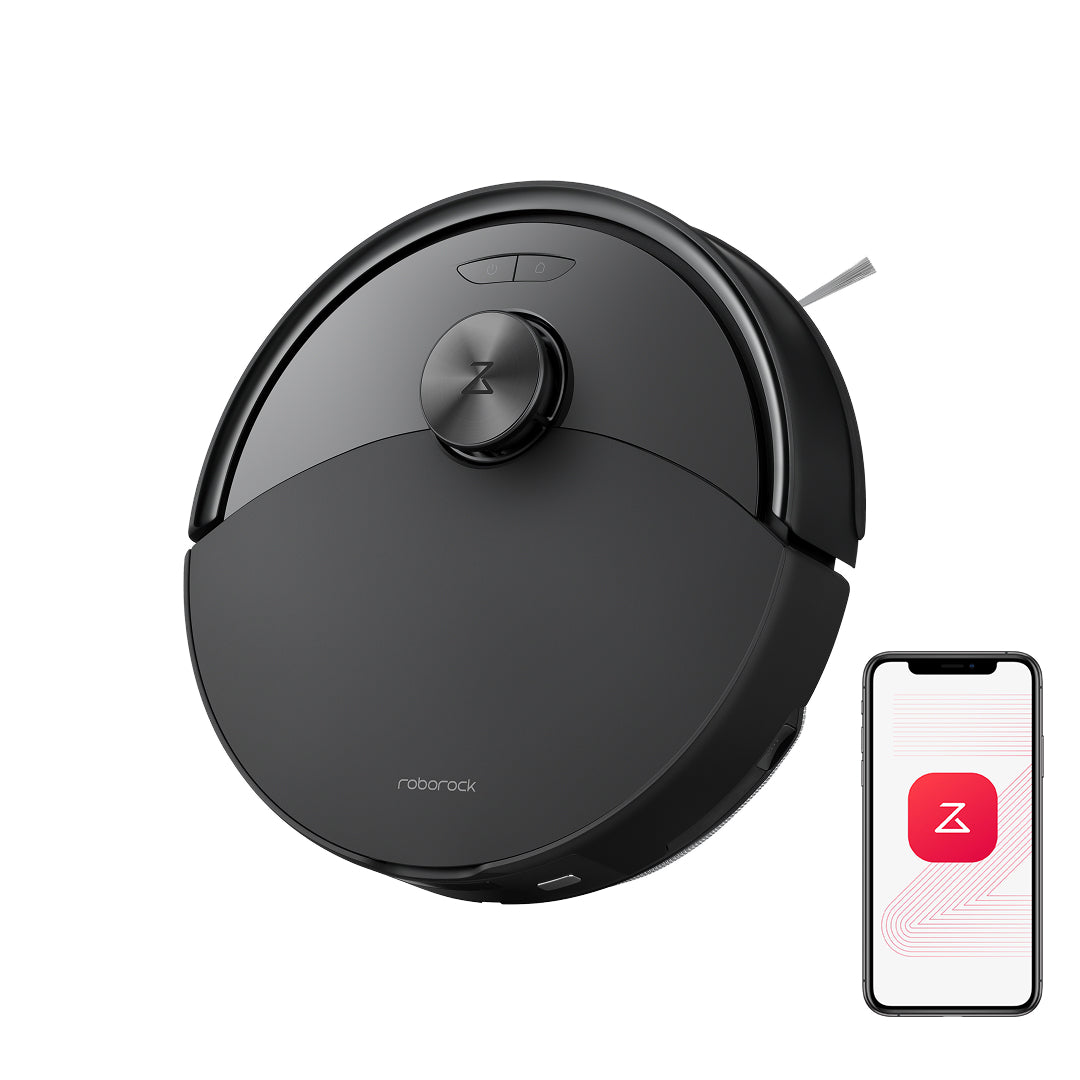
There is no independent cleaning test or ownership history behind these descriptions, so the Q10 S5 should be chosen for its verified package and routine rather than assumed performance. Its exact US product record includes Black and White robot variants, and its linked FCC/IC manual confirms the RRA0TAL robot with the SPCDZ04RR charging station. The image below is Roborock's black-variant robot render; the phone graphic is illustrative, and the dock is not pictured.
Key details at a glance
| Manufacturer-listed maximum suction | 10000 Pa |
|---|---|
| Robot height | 3.9 in |
| Robot weight | 10.54 lb |
| Manufacturer-reported dock dimension sequence (axes unspecified) | 6.30 × 2.76 × 3.98 |
| Battery capacity | 5200 mAh |
| Mop system | VibraRise 2.0 vibrating cloth |
| LiDAR retracts under low furniture | No |
| 2.4 GHz Wi-Fi supported | Yes |
| 5 GHz Wi-Fi supported | No |
| Manufacturer carpet-pile support claim | No |
| Dock water hookup | Standard charging dock; manual bin emptying; no dock water service |
| Fixed water supply and drain required | No |
| Dock empties dust automatically | No |
Use the exact model’s instructions for operating limits, supplied equipment and version differences.
Sources for this assessment
- Roborock Q10 S5 Robot Vacuum and Mop with 10,000 Pa Power Suction
- Roborock native Q10 S5 exact product record
- Roborock Q10 Series FCC/IC English user manual
- Roborock US Q10 Series page
- Roborock black Q10 S5 lead image
- CPSC exact-name recall-index search for Roborock Q10 S5
- Roborock Q10 VF FCC/IC English user manual

Check the fit before choosing the dock.
Compare your furniture clearance, network, floors and the work the station still asks you to do.